Table of Contents
Module Waefer Creation 3D

| Program version | BASIC | 2D PRO | 3D PRO | LAB | OMS |
|---|---|---|---|---|---|
Availablility  |  | |  | |  |
not included
included by default
optionally included
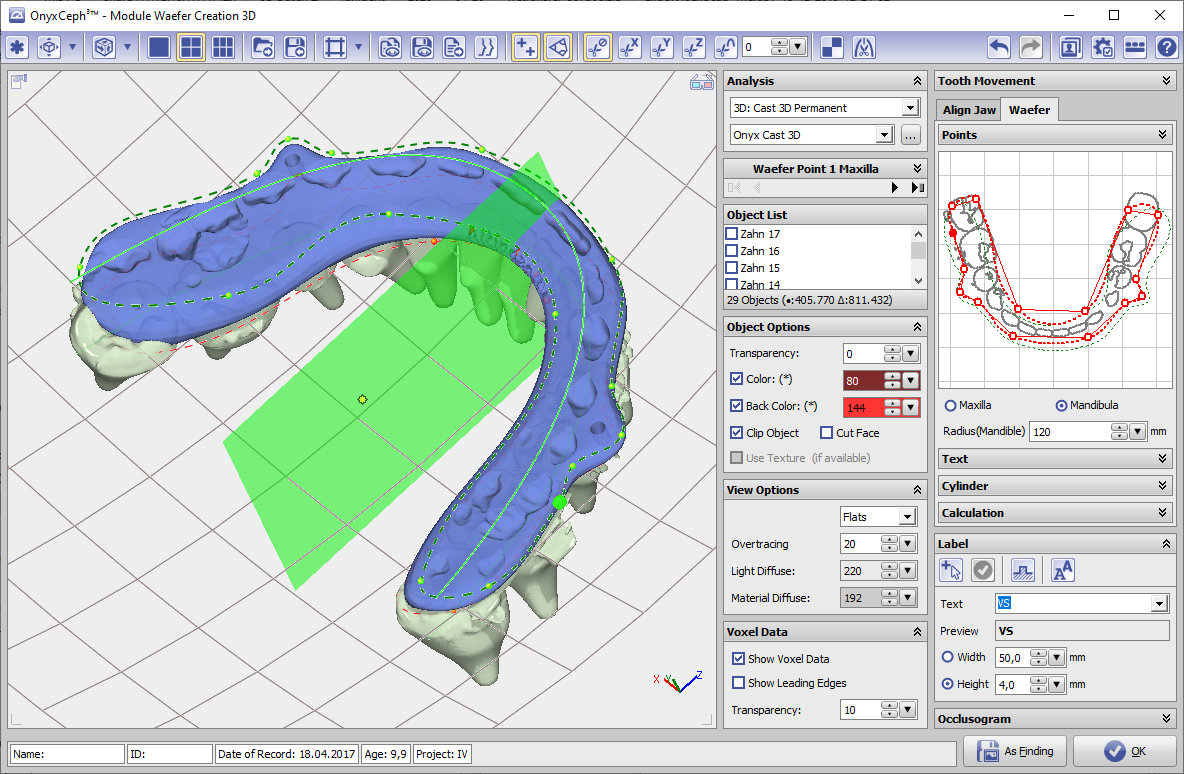
Module Waefer Creation can be used to design surgical splints to be used during orthognathic surgery. The jaw relation can be adjusted manually using 3D virtual models or taken over from separate Waefer findings exported from module Sim 3D as a result of the treatment planning process. To fix the splint during surgery, drill holes perpendicularly to the occlusal plane. Also labeling the waefer on its surface is possible to ensure the correct patient and splint sequense. To support easy and proper insertion, several block out options can be applied.
According to the intended purpose, clinical decisions cannot be motivated exclusively or even mainly on evaluation results provided by the software. The classification as a medical device cannot be transferred to treatment measures or the manufacture of orthodontic appliances, even if these take into account the calculation results of the software.
First Steps
- Define three points for the waefer plane on each the upper and lower jaw
- Define 2D outline for upper and lower surface with left click in sketch on the right
- Move 3D reference points to change the shape of the splint
- Optionally place additional points for texts and holes
- For smooth fitting on patient use options "block out interdental" and "maximum undercut"
- Compute Waefer object, export using the object list (right click) or upper toolbar
- Save as project and new finding
Module user interface