Table of Contents
Module Aligner 3D

| Program version | BASIC | 2D PRO | 3D PRO | LAB | OMS |
|---|---|---|---|---|---|
Availablility  |  | |  | | |
not included
 included by default
optionally included
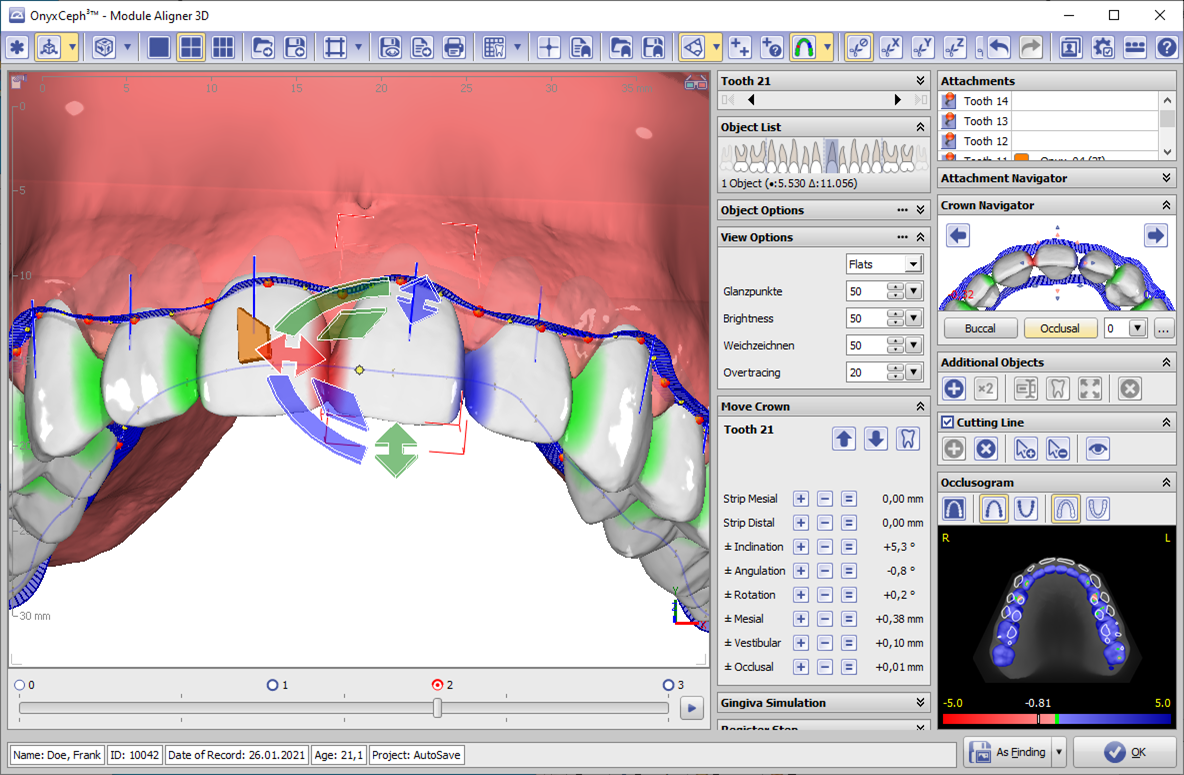
The Aligner 3D module can be used to virtually plan treatment increments (stages and steps) between the initial situation and the target situation set up in the Aligner module itself or in the V.T.O.3D module. Self-defined crown-specific limits for all components of the tooth movement including IPR can be used to define the stages and steps. To support individual movements, provided or self-constructed attachments can be applied manually or using a set of rules.
The Aligner module provides software tools for planning virtual tooth movement sequences based on image or scan data. The user must ensure that the source data and the manipulations and calculations performed on it are suitable for the intended use in the context of the intended treatment measures. According to the intended purpose, clinical decisions cannot be motivated exclusively or even mainly on evaluation results provided by the software. The classification as a medical device cannot be transferred to treatment measures or the manufacture of orthodontic appliances, even if these take into account the calculation results of the software.
First Steps
- Define planning target on timeline or use V.T.O.3D-finding
- Optionally add attachments using the point list
- Add intermediate steps on timeline, e.g. acc. to motion limits
- Check and adjust intermediate steps
- Save as project, export aligner series using the object list
Module user interface